
Connect your banking accounts
Connecting your banking account enables many of the Wallit features such as automated cash back for card-linked reimbursements and card-linked offers, as well as automated, real-time budgeting.
Note: In Wallit, when you connect your checking account, you are linking your debit card which enables you to get automatically reimbursed by your employer-funded monthly allowance as well as receive cash back from our participating brands and retailers
Connect Your Banking Account from the Wallit App
There are two ways to connect your banking accounts in your Wallit app.
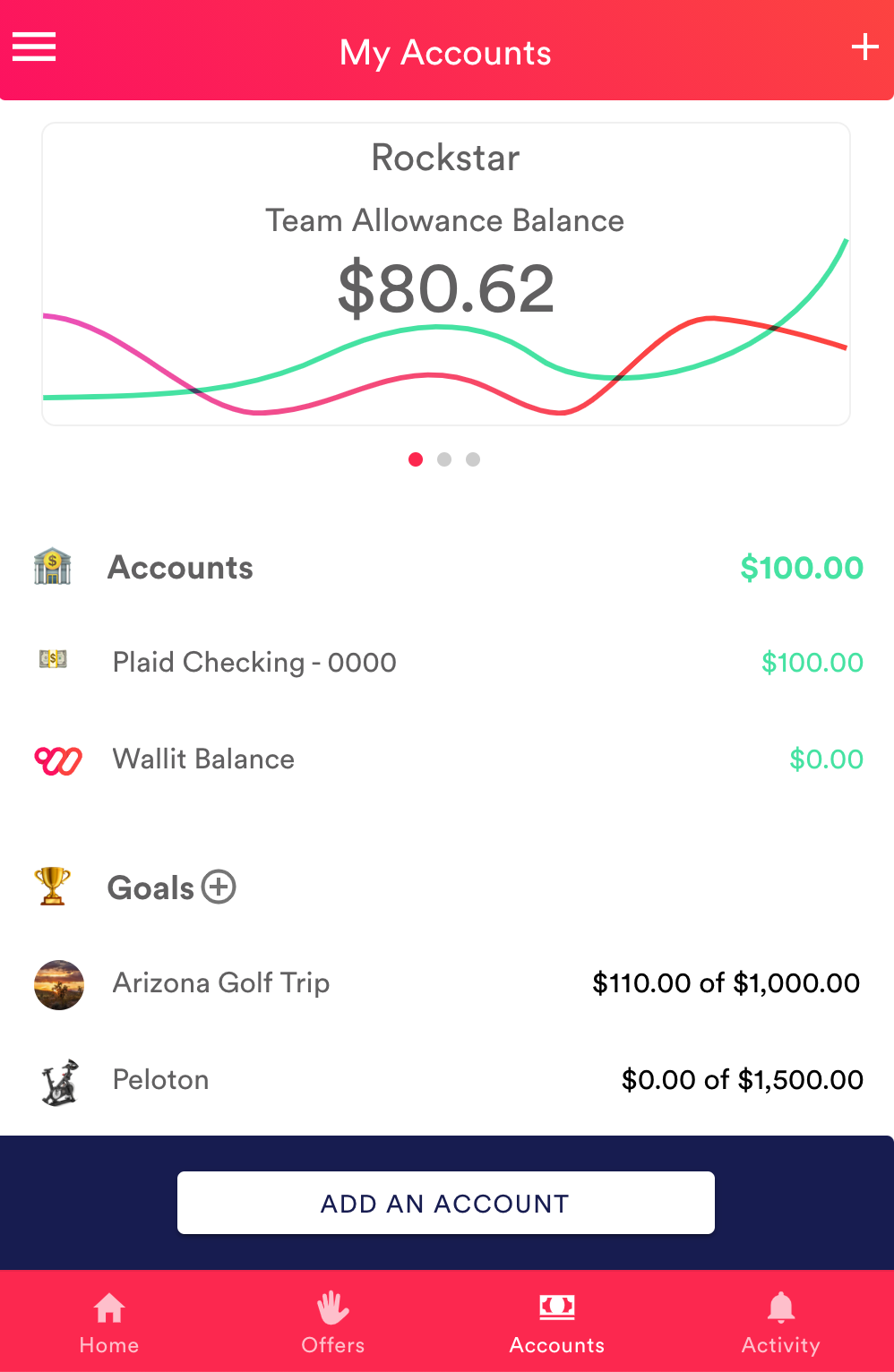
First, go to the 'Accounts' tab:
Option 1:
Tap the add button in the top right.
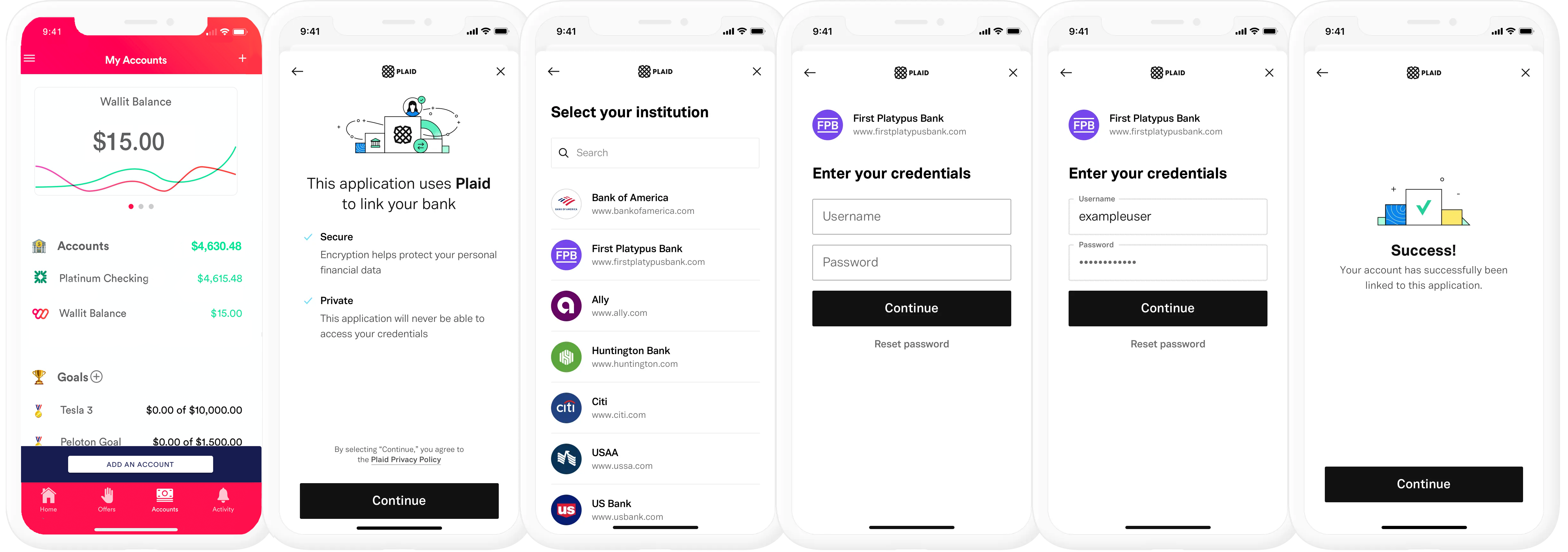
Then, select 'Add a Bank Account' from the menu. You will be guided through an easy process
Select your bank
Enter your login credentials and tap Submit button.
Tap Done
Option 2:
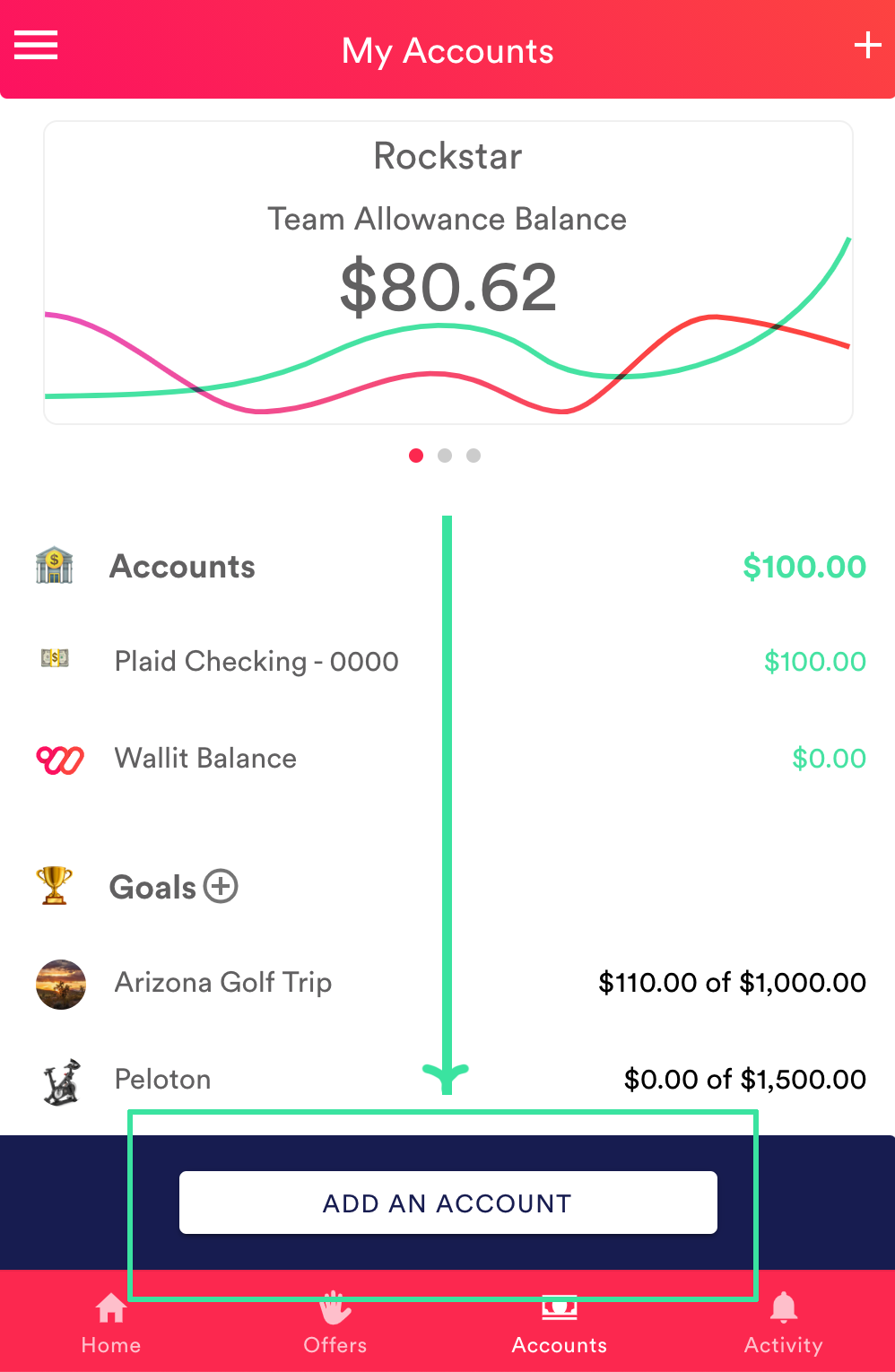
You may also add a banking account from the 'Account' tab by tapping 'Add an Account' button at the bottom of the screen.
Select your bank
Enter your login credentials and tap Submit button.
Tap Done
Tip: Add all your banking accounts to Wallit to simplify your life with one, central place to get cash back on your everyday purchases and access your balances and transactions without having to go to multiple apps and memorize multiple passwords.
Screenshot
Wallit
Where wellness happens.